Core Ball
Free DuckMath Games


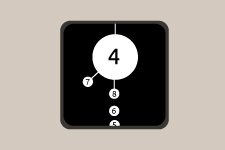
Play Core Ball online for free on DuckMath Games. Shoot pins toward a rotating ball and attach them without hitting any pins already in place. Each level gives you a set number of pins to launch, and you must place them all successfully to advance.
Core Ball, also known as Coreball, is a timing-based arcade game with simple one-button controls. The challenge is to find open spaces around the rotating circle and launch each pin at the right moment. Play directly in your browser without downloading or installing anything.
How to Play Core Ball
The objective of Core Ball is to attach all the available pins to the rotating center without causing a collision.
A large ball spins in the middle of the screen, sometimes with several pins already attached. Your remaining pins appear below the ball, ready to be launched one at a time.
Click the mouse or tap the screen to shoot a pin toward the rotating target. Once attached, the pin moves with the ball, taking up space and making future shots more difficult.
You must avoid hitting the pins that are already connected to the circle. If two pins collide, you fail the level and need to try again.
Successfully attach every available pin to complete the level and move on to the next challenge.
Core Ball Tips and Strategies
Core Ball requires accurate timing rather than rapid clicking. Watch the rotation of the center ball and identify the largest gaps between attached pins before launching.
During the first few shots, try to distribute pins around the circle rather than placing them too close together. Leaving enough space between pins gives you more options as the level progresses.
Pay attention to the rotation speed. A faster-moving target requires quicker reactions, while slower movement gives you more time to identify a safe opening.
If the ball changes direction, adjust your timing instead of immediately firing another pin. Wait until you understand the new movement pattern.
Avoid launching several pins too quickly when the circle becomes crowded. A short delay can help you find a better position and prevent collisions.
In difficult levels, focus on the movement of the gaps rather than individual pins. Your goal is to launch each new pin when an empty section passes the shooting position.
Coreball Levels and Increasing Difficulty
Coreball uses level-based progression, with each stage presenting a new arrangement of pins around the rotating center.
Early levels introduce the basic mechanics with plenty of room for new pins. As you progress, the available spaces become smaller and accurate timing becomes more important.
Some levels may feature different rotation speeds, direction changes, or additional pins already attached to the ball. These variations require you to adapt your strategy instead of repeating the same shooting pattern.
The number of pins you need to place can also change between levels. A stage with only a few remaining shots may still be difficult if the rotating circle is already crowded.
Unlike endless arcade games, Core Ball gives you a specific objective for each round. Complete the required placements without a collision to unlock the next challenge.
Play Coreball Online for Free
Core Ball is a browser-based skill game built around a single action: launching pins into a rotating target. There are no complicated movement controls or characters to navigate. Every click or tap must be timed correctly.
The game is easy to start, making it suitable for quick sessions. You can complete a few levels during a break or continue playing to see how far you can progress.
Coreball combines elements of precision games, reaction challenges, and arcade puzzles. Although the controls are simple, success depends on observing movement patterns and choosing the right moment to act.
DuckMath Games lets you play Core Ball on a compatible desktop, laptop, or mobile browser without installing an app or creating an account.
Core Ball Controls
Core Ball uses a simple control system that works with a mouse or touchscreen.
Mouse click: Launch a pin toward the rotating ball.
Tap: Shoot a pin when playing on a touchscreen device.
You do not control the rotation of the center ball. Instead, wait for a suitable opening and launch your pin when the target is in the correct position.
Each shot is final, so check the space between existing pins before clicking.
Core Ball for Chromebook and Short Breaks
Core Ball is a convenient choice for Chromebook users looking for an online game with straightforward controls. Its simple interface and short levels allow you to start playing without learning a complex set of rules.
The game tests visual attention, reaction timing, and precision. You need to follow the rotating target, recognize safe openings, and adjust your actions as the difficulty increases.
You can play Coreball directly on DuckMath Games through a compatible browser. No additional game client or software installation is required.
More Free Timing and Arcade Games
If you enjoy Core Ball, explore other arcade games on DuckMath Games that challenge your timing and accuracy.
Stack Game requires you to drop moving blocks onto a tower while keeping them aligned. Each inaccurate placement reduces the available surface for the next block.
Dinosaur Game is an endless runner where you jump over cacti, avoid obstacles, and try to survive as the game gets faster.
For another challenge, try Snake Game, where you collect food while avoiding collisions with walls and your growing tail.
These browser games feature simple controls, short rounds, and challenges that become harder as you progress.